STREAM YOUR DECK
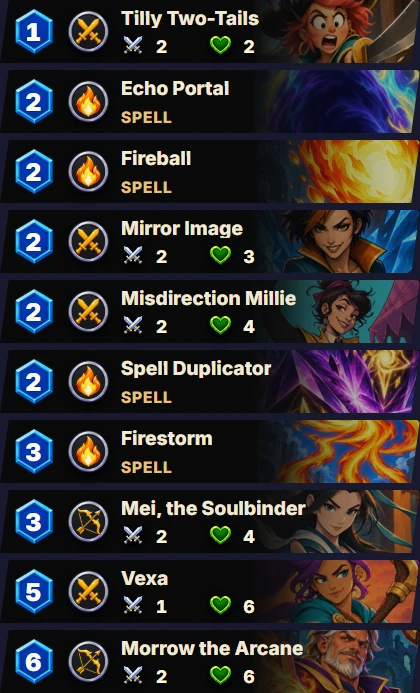
- 1
OPEN WARBOUND DECK
Extract the download and run WarboundDeck.exe. Choose Chrome or Edge.
- 2
SELECT YOUR DECK
Open the game in the same browser profile. Select your deck and refresh the game.
- 3
ADD WINDOW CAPTURE
In OBS or TikTok LIVE Studio, select Window Capture → Warbound Deck.
Keep the deck window open while streaming.
DOWNLOAD FOR WINDOWS
Windows 10 / 11
Public download pending release.
Playing in the Windows client?
Settings → General → Open Deck Window. No separate companion needed.